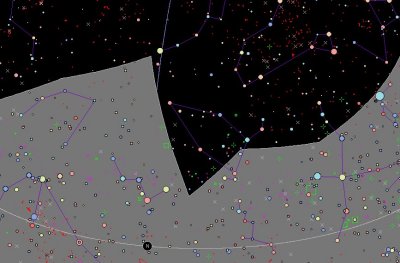
TeleAuto also has the ability to create profiles describing the shape of the observable horizon at the telescope. The profile allows you to describe ALL the objects near by, Tree, Houses Mountains...
Here is an an example of a profile taken from Jacques Cazenove's permanent LX200 observatory
On the right, you can see all of Jacques office, and on the left, the magnificent trees in his garden.
The profile is created in the directory with the a ".prf" extension.
The file contains 361 coordinates corresponding to the azimuth angle of the object, in whole degrees.
The file contains two columns, the first contains the azimuth of the objects, from 0 to 360 degrees, the second the corresponding height, or altitude, again in degrees.
The file is compatible with Prism.
In practice, you can't measure all the 360 horizontal points, but when you put in some points the other points are automatically interpolated.
You could say that the creation of the file is fairly tricky !
The "utilities/create a profile" function saves a lot of work.
In effect it allows the creation of the profile file directly with only a few points.
It is also possible to use the LX200 to measure these points for you.
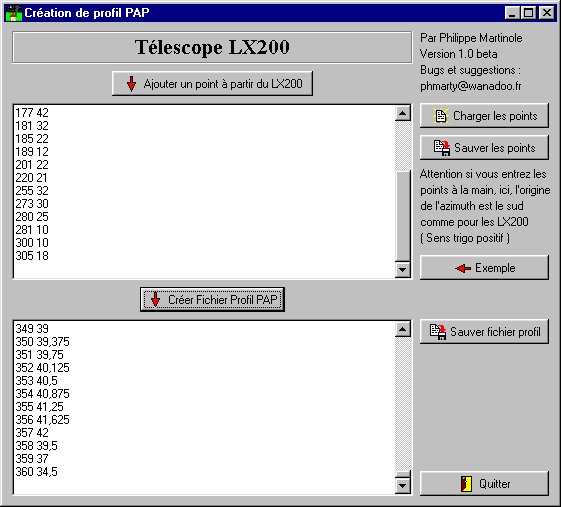
Here is a view of the main window :
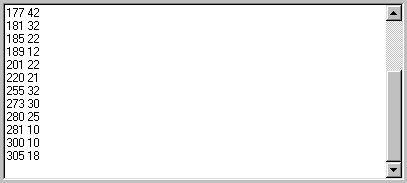
The height editing window
Contains some principal points in the profile which you have measured.
You can either write the points directly into the editing window or use the LX200 to do it automatically
To do this, point the LX200 at each key point then click on the button.
: .
The program then asks the LX200 for its azimuth and altitude coordinates and enters them in the window for you.
Once the editing is completed, click on the button
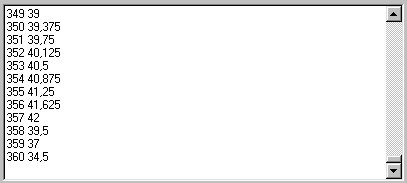
to calculate all 361 points in the profile automatically.
These points then appear in the lower editing window :
You can then save the profile by clicking on this button
: .
You can save the initial points with this button : .
...and load with this button: .
...You can see a worked example by clicking the "example" button:



 .
The program then asks the LX200 for its azimuth and altitude coordinates and enters them in the window for you.
.
The program then asks the LX200 for its azimuth and altitude coordinates and enters them in the window for you.
 to calculate all 361 points in the profile automatically.
 .
.
 .
.
 .
.